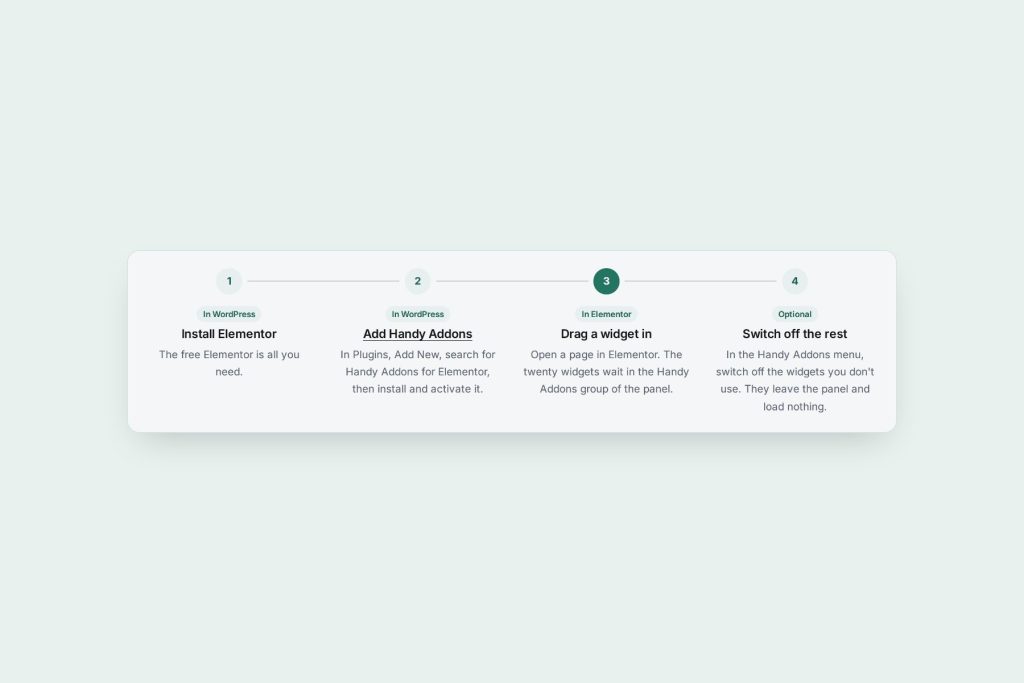
Getting started with Handy Addons
Install the plugin, find the widgets in Elementor, fill one in and give it a design. Five minutes, with no…
Handy Addons for Elementor
Tables, charts, pricing, timelines, galleries, PDFs and more: 20 free widgets, each set beside the best for its job before it shipped. Three designs each, light and dark, and nothing loaded where it isn't used.
Free, GPLNo accountNo trackingNo jQueryRight to leftMultisite
Every widget, for every site you build.
Free for good
GPL, version 2 or later
200
Free widgets
30
Designs for each, light and dark
6770
Automated tests
00
Things tracked
The widgets
Open one to see it live in all three designs, light and dark, with a guide to its settings.
Data tables edited like a spreadsheet: import, sorting, search, pagination and responsive layouts.
Several plans side by side, with a monthly/yearly switch, badges and aligned features on equal-height cards.
Plans or products side by side, with checks and crosses per feature, a highlighted plan and a one-plan view on phones.
Bar, line, area, pie, doughnut and radar charts from data you type, paste or import, with an accessible data table.
A story in order: alternating, one-sided or horizontal per screen size, with images, icons and a colour per item.
A process in numbered steps, vertical or horizontal per screen size, with connector lines.
A number that counts up when it comes into view, with an icon and a title, and the right number for everyone who can't watch it count.
Photos in a grid, masonry or justified rows, with filters, captions and a viewer that opens them full size.
Two images compared with a slider: drag, hover or click, horizontal or vertical, keyboard accessible.
A PDF readable on the page, sharp on any screen, with pages, zoom and full screen, and a plain link when it can't be shown.
Your latest posts or pages as cards, with their image, category, date and a few lines, and numbered pages or a "Load more" button.
What customers say, as cards in a grid or a carousel, with photos, roles and star ratings.
The people behind a site, one or a whole team, with photos, roles, a few lines about each and their profile links.
Questions and answers, or any sections, that open one at a time or together, with FAQ schema if you want it.
A title with highlighted words, a small line above it, a description, a separator, an icon and a large word behind, in colour, gradient or outline.
An icon, image or number with a title, a description and a link or button, above or beside, in a card that can link as a whole.
A link that looks like a button, with an icon before or after its text, a second line, three sizes and calm hover effects.
A table of contents built from the page's headings: nested or flat, numbered, collapsible, with smooth scrolling and the current section highlighted.
Designs
Every widget comes in Soft, Outline and Solid, flat and calm, with one accent colour of your choice. Pick one in the Style tab; every other setting fine-tunes it.
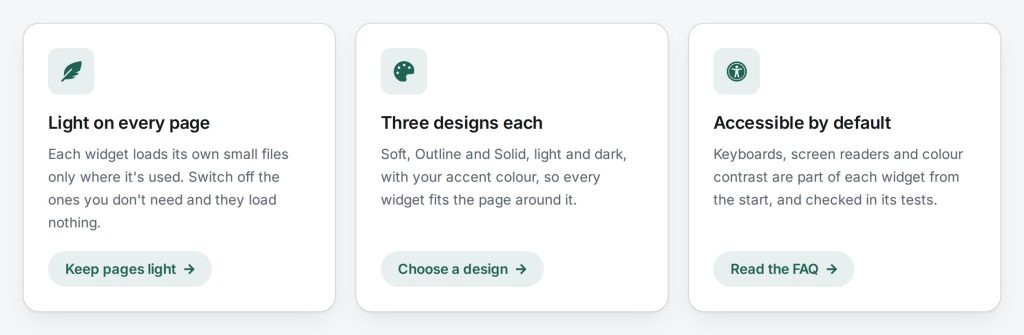
The default: white cards with a thin border, generous rounded corners and a soft shadow, pill-shaped controls, and pale tints of the accent.
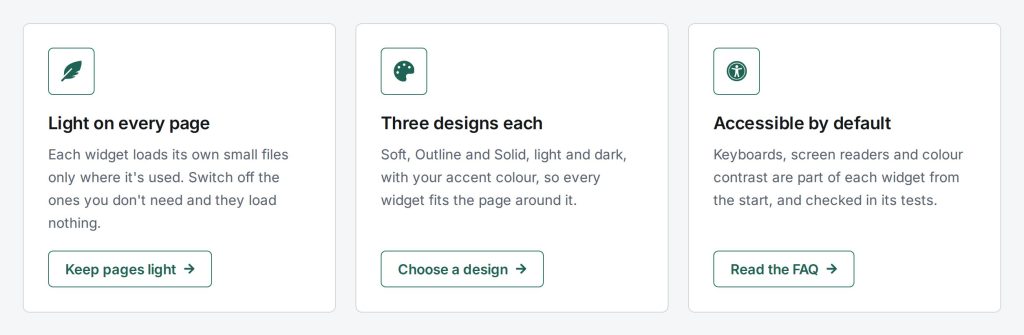
Drawn with lines: framed cards with small corners, outlined buttons, labels and badges, and the accent in the lines.
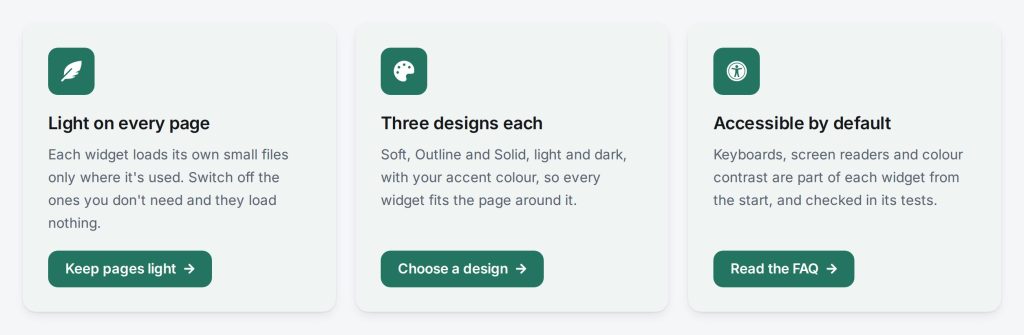
Flat filled shapes: cards in a pale tint of the accent with no border and a small lift in the light scheme, solid buttons and markers, and the highlighted part filled with the accent.
Each design has a Dark colour scheme for dark sections. Drag the handle to compare.
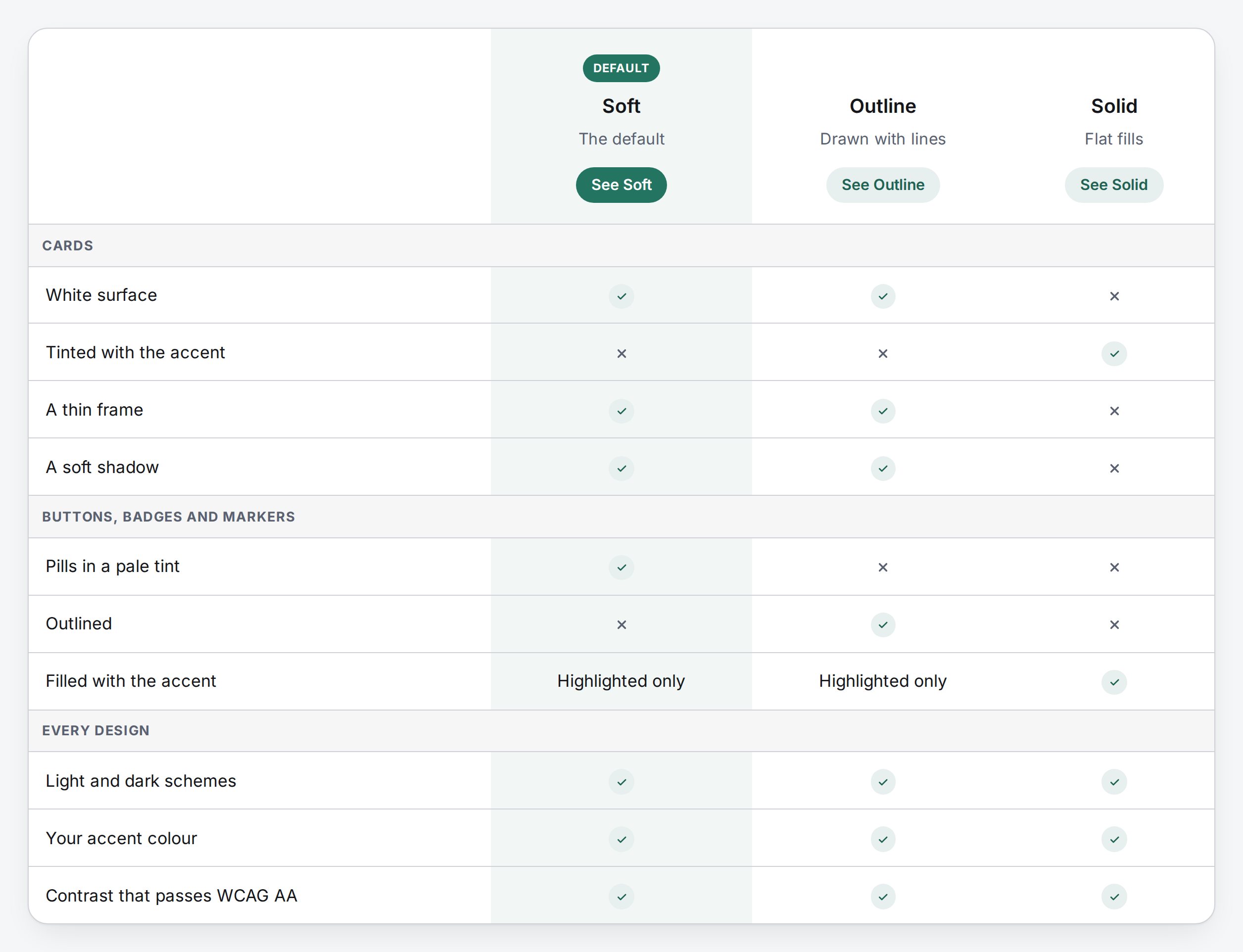 Light
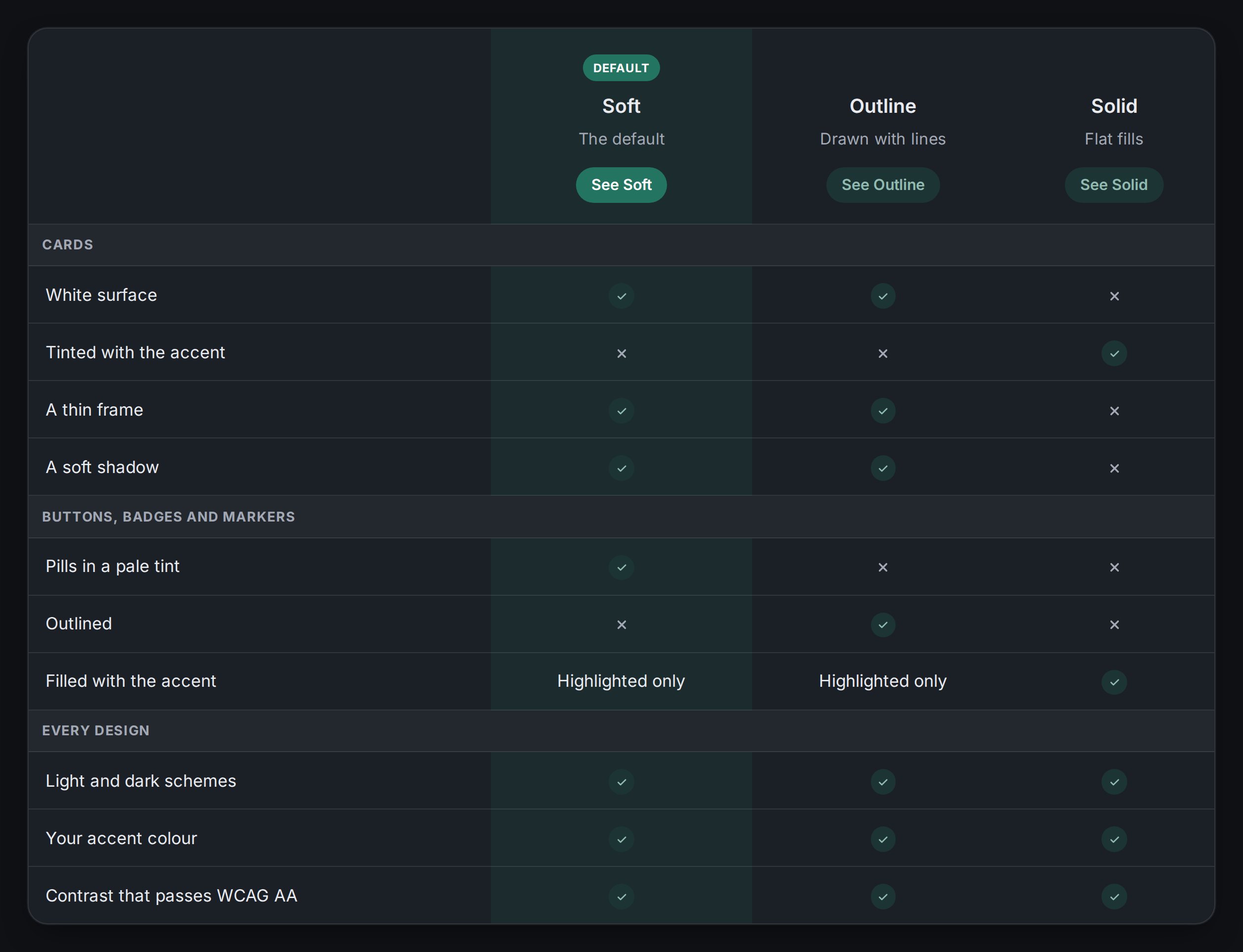 Dark
How it's made
Each widget is built from scratch, for one job, and ships only when it can stand beside the best made for that job.
Before a widget ships, it's tried against the best of the big addon packs and the leading plugin made for its job. If it can't match them, it waits.
Each widget loads its own small files only where it's used. Switch off the ones you don't need and they load nothing at all.
Keyboards, screen readers, contrast and reduced motion are part of each widget, and checked in its tests.
No tracking, no ads, nothing sent to us. Outside services only when you choose them.
677 automated tests, run on every supported version of WordPress, PHP and Elementor, with popular themes, packs and caching plugins.
Every word can be translated, and every widget was checked right to left, in Arabic.
Docs
From installing the plugin to the jobs people do most.
Install the plugin, find the widgets in Elementor, fill one in and give it a design. Five minutes, with no…
Read more
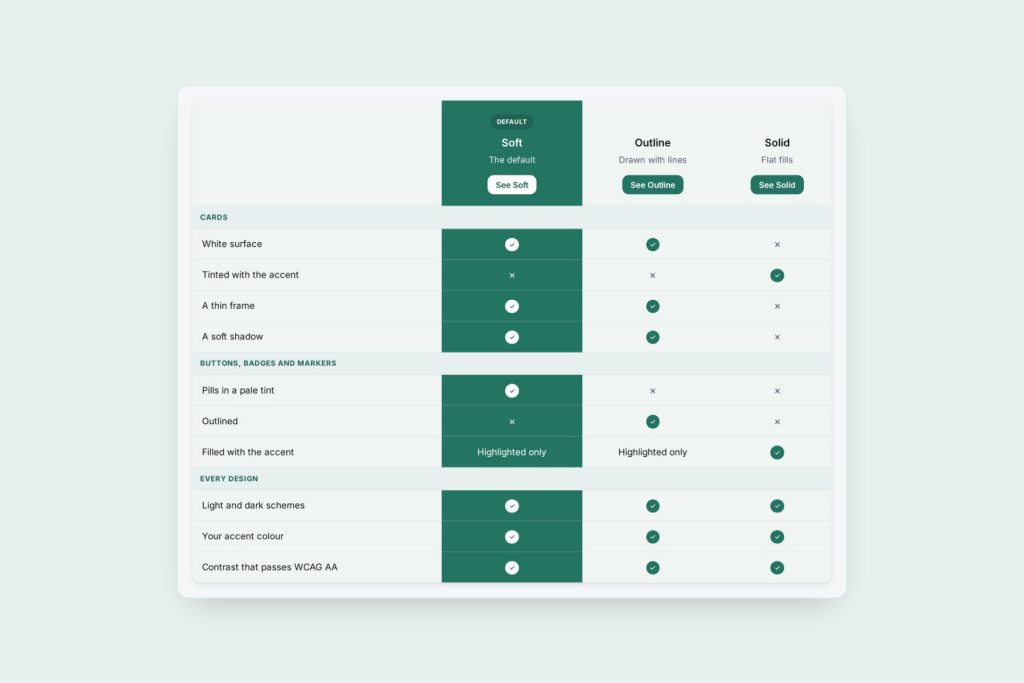
Every widget comes in three designs, each with a light and a dark colour scheme. Here's what tells them apart,…
Read more
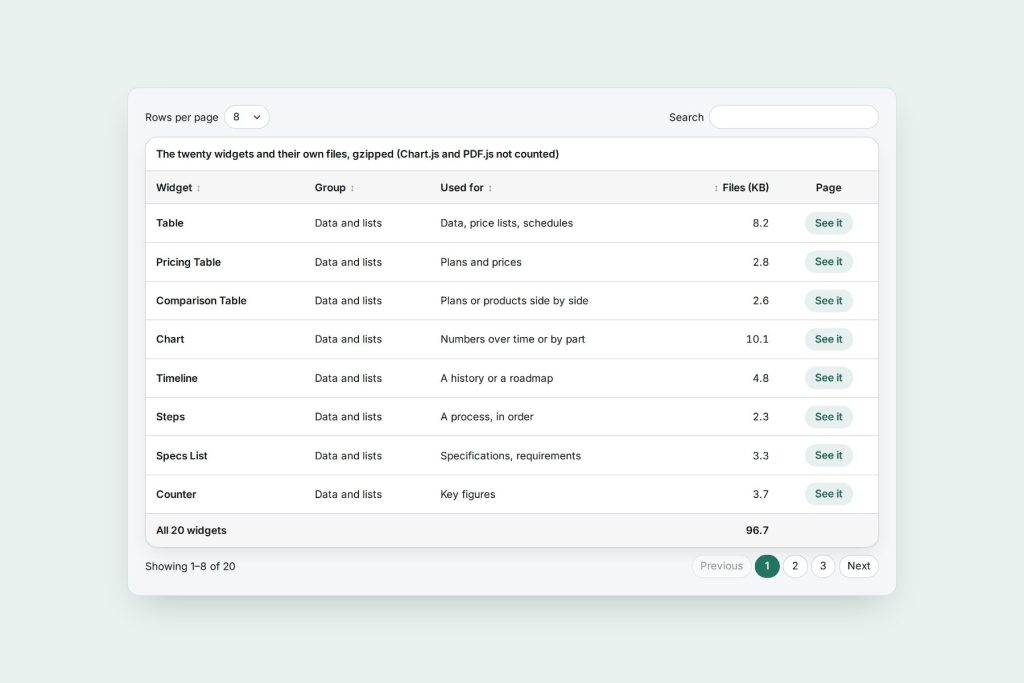
Paste cells from Excel or Google Sheets, or import an Excel, CSV or JSON file, or a link. Then turn…
Read more
FAQ
The ones asked most. Each widget's page answers its own.
Yes. All 20 widgets are free, under the GPL: no account to create, no licence key and no time limit.
No. The free Elementor plugin is all Handy Addons needs.
WordPress 6.9 or later, PHP 7.4 or later, and the free Elementor plugin.
Each widget loads its own small files only on pages that use it, most a few kilobytes gzipped, and no front-end script needs jQuery. A widget you switch off loads nothing at all.
No. There’s no tracking and nothing is sent to us. Outside services are used only when you choose them, as the privacy page explains.
In the plugin’s support forum on WordPress.org, and in the docs. For anything else, the contact page.
Install Handy Addons from WordPress.org, open a page in Elementor, and find them in the Handy Addons group of the panel.
May we count visits with Google Analytics, to learn which pages help? It sets cookies, so it runs only if you agree. Privacy policy